PLA 2014 Indy
Tinker with Technology: Simple and Creative Programs
for Kids and Teens
Program Organizer and Speaker : Katie LaMantia, Teen Librarian, Schaumburg Township District
Library Speaker : Amanda Barnett Jacover,
Youth Services Librarian, Glenview Public Library Speaker : Michael Campagna, Youth Services Librarian, Barrington Area
Library Speaker : Bradley Jones,
Experiential Learning Coordinator, Skokie Public Library Speaker :
Renee Neumeier, Young Adult Librarian Supervisor,
Evanston Public Library Speaker : Janet
Piehl, Youth Services Librarian, Wilmette Public Library
A detailed discussion of the
presentation along with handouts are available at the tinker blog (Tinker:
connecting library folks who work with kids, teens and technology: http://tinkergroup.wordpress.com/
The presenters are part of a network
group called Tinker, based in the Chicago
area. Members are from all across the country and new members are welcome. This
group creates opportunities to explain technology and ways to learn through
play. It is open ended. To learn technology you have to play with it and make
mistakes. Technology programs at the library are tied to the public library
mission, dedicated to working with literacy. Ideas of literacy are expanding to
include other areas. Creative collaborative communication and critical thinking
happen easily in programs organized around technology.
Consider a drop in program with all
the technologies available. This type of program is for all ages and does not
require sign-ups. For all other programs pre-registration is highly recommended.
Stop Motion Animation:
This program will work well with 3rd
grade-high school. The techniques are easy. Divide the kids into groups of three
with one computer for each group. You need cameras, scenery and inanimate
actors. Programs that work well are Windows Live Movie Maker or I Movie. Take a
series of pictures. Change the amount of time each photo is on screen. Start
with .25 seconds. The kids have to communicate to solve problems and to tell
the stories. Participants often go home and make more movies.
The handout:
Size
of group: 2-5 filmmakers
per computer/camera station
Program
duration: 1½ hours
Prep
time: Low-medium Staffing:
2 people
Equipment: Computers, webcams or digital cameras,
small toys, and assorted craft supplies for scenery and props. Legos also work
very well for stop-motion.
Stop-motion is a
technique that allows you to animate 3-D objects. You begin by shooting a
series of still photographs, changing the position of the objects very slightly
from one photograph to the next. Then you string the images together in quick
succession using a computer program like Windows Live Movie Maker or iMovie.
This creates a “flipbook” effect and transforms your still photographs into a
movie. We recommend dividing your program like this: 30 minutes to plan the
movies and build sets; 30 minutes to shoot the photos; and 30 minutes for
editing. If possible, at the end of the pro-gram, screen the finished movies
for participants and their families. Stop-motion is quick to learn but offers
lots of room for experimentation and growth. It also creates an end product
that will make your participants proud and is easy to share.
Further
Resources
90 Second Newbery
Katie
LaMantia Teen Librarian, Schaumburg Township District Library
klamantia@stdl.org
Tinkering
with Technology: Simple and Creative Programs for Kids and Teens
tinkerfolks@gmail.com
http://tinkergroup.wordpress.com/
@TinkerGroup facebook.com/tinker.folks
This
program requires a camera/camcorder and a tripod. Shadow puppets work well,
along with a variety of other inanimate characters.
The
handout:
Size of group: 2-5 filmmakers per computer/camera
station Program duration: 1½ hours Prep time: Low-medium Staffing:
2 people
This
program requires a camera/camcorder and a tripod. Shadow puppets work well,
along with a variety of other inanimate characters.
The
handout:
Size
of group: 10 Program duration: 2 hours– filming
Prep
time: Medium-high
Post-Production and Editing time: Medium-high Staffing: 2 people
Equipment:
Video
equipment: Camcorder, camera, or iPad. Props and background materials.
Editing soft-ware: iMovie, Windows Movie Maker, or Adobe Premiere Pro
Condense
a Newbery award (or honor) book into 90 seconds—yes, this will often be
ridiculous. The goal is not to have a book trailer. Movies can be done in
several formats: stop-motion animation, puppets or props, Claymation, live
action, and animation to name a few. Get creative—add a twist to the filming!
Staff can create the script, or have the kids do a script-writing session.
Step
1: Pick the book and have the kids preread if possible.
Step
2: Create the script—it can be a separate program, Teen Writing Club can create
it, or by staff.
Step
3: Gather necessary props and background.
Step
4: Program time—assign actors and jobs, film the scenes.
Step
5: Post-production—staff or tech-savvy teens can edit and add music, text,
special effects.
Upload
videos to YouTube or Vimeo. Submit videos to kennedyjames@gmail.com by December
20, 2015.
Resources
and Tips
Kids and teens cannot often make more than one session of
filming, so actors may be inconsistent. Doing one longer session of filming or
a several-day workshop may be easier than several spaced-out sessions.
Don’t get bogged down by perfection in filming or editing.
Pencil Animation
Tinkering
with Technology: Simple and Creative Programs for Kids and Teens tinkerfolks@gmail.com
http://tinkergroup.wordpress.com/ @TinkerGroup facebook.com/tinker.folks
Katie LaMantia Teen Librarian, Schaumburg Township District
Library klamantia@stdl.org
This
event requires a free open source program that is available for download online:
http://www.pencil-animation.org . Two instructors are
best and limit the program to 12-15 participants. The handout:
Size of group: 15 Program duration: 1.5 hours
Prep
time: Medium
Staffing: 2 people
Equipment:
Computers
with Pencil animation software installed, mice, or tablets with stylus
Preparation:
Install
Pencil animation software onto computers/laptops (free).
Use
Pencil animation software to draw an object or character. Set the number of frames/second:
the greater number of frames, the smoother the animation. Use to add a new
frame.
Four
types of layers: Bitmap and Vector (Image), Sound, and Camera. Add multiple
layers and rename (example– background).
Press
to watch and remember to keep it simple!
Resources
and Tips
Use a tablet and stylus to get precise drawing results.
Use Onion skin to see previous frame for a more seamless animation.
Artbots
Renee
Neumeier Young Adult Librarian Supervisor, Evanston Public Library
rneumeier@cityofevanston.org
Tinkering
with Technology: Simple and Creative Programs for Kids and Teens PLA 2014
tinkerfolks@gmail.com http://tinkergroup.wordpress.com/ @TinkerGroup
facebook.com/tinker.folks
Any
age can do this program, especially as a family program. Materials needed are
plastic cups, CDs, paper plates pool noodles, and an electric toothbrush for
each participant. (available for $ at Dollar Tree)
The
handout:
Size
of group: 15
(plus parents if kids are K–2)
Program
duration: 1
hour–1.5 hours
Prep
time: Low
Staffing: 2 –3 people
Equipment:
Dollar
store electric toothbrushes, pool noodles, plastic cups or other items that can
be used as the artbot’s body; markers, electrical tape, rubber bands, pipe
cleaners, glue, googly eyes and other decorations, pliers
There
a lot of different ways to make artbots, and most importantly there’s not one
right way to create one. The following is just one way to make an artbot. The
first artbot we attempted included a Solo cup, a motor and battery from a
dollar store electric toothbrush, three markers, and some tape. A post on the
Geek Dad website (see below) was helpful when getting started. It turns out
that other libraries and museums had been trying out art-bots too and tried
using pool noodles (which you also can get at the dollar store). They’re easier
to work with and to decorate.
The
hardest part of making an artbot is getting the motor and battery out of the
toothbrush. Removing the bottom of the toothbrush and then banging it on the
ground to get the motor and battery out seems to work well. If you use pliers
to pull everything out, you risk stretching out the toothbrush’s spring. Plus
banging it on the ground is fun. Once you’ve pulled out your motor and battery
pack, you need to reassemble them. You’ll want to try to line up all the metal
pieces on each section, make sure your motor runs, and then tape or rubber band
it together. Mount it on your pool noodle, cup, or whatever you want to use,
add marker legs, decorate it, and then turn it on and see what it does (make
sure to remove the marker caps).
Further
Resources
Light Painting
Tinkering
with Technology: Simple and Creative Programs for Kids and Teens PLA 2014
tinkerfolks@gmail.com http://tinkergroup.wordpress.com/ @TinkerGroup
facebook.com/tinker.folks
Janet Piehl Youth Services Librarian, Wilmette Public
Library jpiehl@wilmettelibrary.info
Art
Meets Technology: Light Painting
Use
an ipad or a camera set to long exposure. For lights use flashlights and /or battery
powered colored lights (all available at a dollar store). Stretch a balloon or
colored saran to the end of a flashlight. Lengthen the shutter speed. Use a
tripod. You need a totally dark room.
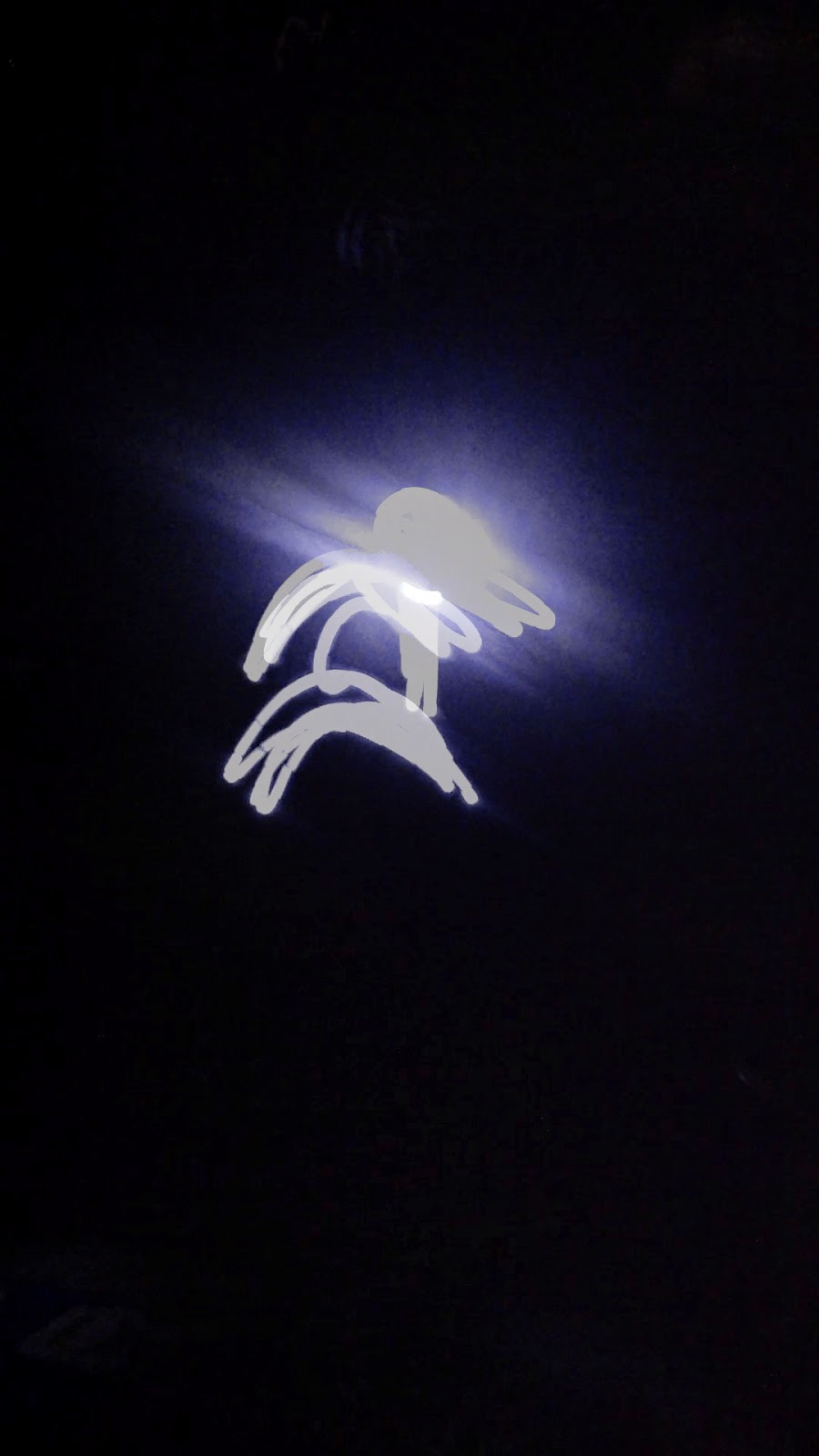
Light
painting works very well and easily with an ipad. During the program this
technique was demonstrated by using an ipad to record with audience members
holding up flashlights.
The
handout:
Size
of group: 10
Program duration: 1 hour
Prep
time: Low-medium
Staffing: 2 people
Equipment:
iPads
or cameras on tripods; flashlights, light-up toys, or string lights
Darken
the room completely and photograph designs made with lights. To capture the
traces left by the lights, lengthen the exposure time on a digital camera
mounted on a tripod. For even better results, use an app like LongEx-po on an
iPad. You won’t need a tripod if you’re using this app. For light sources, use
flashlights and toys from the dollar store. For added color, put a balloon over
the end of a flashlight. Everyone will be express glowing praise for the
results!
This
project works well when kids work in pairs. The partner with the light stands
about ten feet away from the partner with the camera or iPad. Light painting
also works in other configurations that kids think of on the spot. Light
painting is really a big experiment in science, technology, and art, and it’s fun
to see how participants put their own spins on the project.
Further
Resources
LEGO WeDo + Scratch
Bradley
Jones Experiential Learning Coordinator, Skokie Public Library
bjones@skokielibrary.info
Tinkering
with Technology: Simple and Creative Programs for Kids and Teens
tinkerfolks@gmail.com http://tinkergroup.wordpress.com/ @TinkerGroup
facebook.com/tinker.folks
Size
of group: 12 Program duration: 1 to 1.5 hours
Prep
time: Low-medium
Staffing: 2 people
Equipment:
LEGO
WeDo sets, computers with Scratch 1.4 installed
WeDo
are the simplest—and most open-ended—of the LEGO ro-botics sets. They are
available on the LEGO Education website for $130 each (with a slight discount
for larger orders). Each set comes with an array of ordinary LEGOs plus a
motor, a motion sensor, a tilt sensor, a USB hub, and booklets with
step-by-step instructions for twelve projects. The software to run the WeDo
components is sold separately by LEGO for $90 for a single license or $300 for
a site license. However, version 1.4 of Scratch from MIT also supports the WeDo
components–and it is a free download. Plus, Scratch is a worthwhile learning
platform all on its own without the LEGOs. I have handouts available of a PDF I
found online that shows the Scratch scripts necessary to run many of the 12
projects described in the booklets that come with the WeDo sets.
For
each session, I demonstrate a sample project and go over the basics for
newcomers, and then set them loose. Some kids choose to build one of the
projects from the LEGO booklet, but I encourage free-building and
experimentation. I act as a resource to help with problem solving rather than
directing what they should build. I try to encourage sharing of projects (as in
“Everyone, stop what you’re doing and come look at what Jimmy did for a second,
it’s awesome!”) and peer-to-peer learning (as in “You want to do what Jimmy
did? Go ask him how he did it.”) I also make available an easy video recording
option (Flip cam or YouTube Cap-ture app) so kids can document and share their
project digitally .
Further
Resources
See
this post on Tinker’s blog for more information. See many short videos of kids’
projects on the CodeBots Club YouTube channel. See more videos here, here, and
here on Skokie Public Library’s “Explorer” blog.
Mindstorms NXT
Tinkering
with Technology: Simple and Creative Programs for Kids and Teens PLA 2014
tinkerfolks@gmail.com http://tinkergroup.wordpress.com/ @TinkerGroup
facebook.com/tinker.folks
Michael
Campagna Digital Services Manager, Barrington Area Library mcampagna@balibrary.org
Size
of group: 3
kids per kit Program duration: 90 minutes
Prep
time: Moderate/High
Staffing: 2 staff members
Equipment:
LEGO
Mindstorms set, software, and computers
LEGO
Mindstorms are a great way for libraries to support STEM education and peer
collaboration. The size of your program will depend on how many Mindstorms kits
you have, but typically three children per kit is an adequate size. Encourage
children to make an original build to accomplish an open-ended task. To make
sure group dynamics function at a high level, assign and rotate roles
throughout the program. *Note: EV3 is the next generation of Mindstorms.